


Organisation tokens, billing, audit log and DPA
Shared Composer tokens for servers and CI, the per-seat plan and invoices, who changed what, and the data processing agreement.
These pages are in the organisation's menu. Owners and admins see tokens, projects, webhooks, data processing and the audit log; owners and billing managers see billing.
Organisation Composer tokens
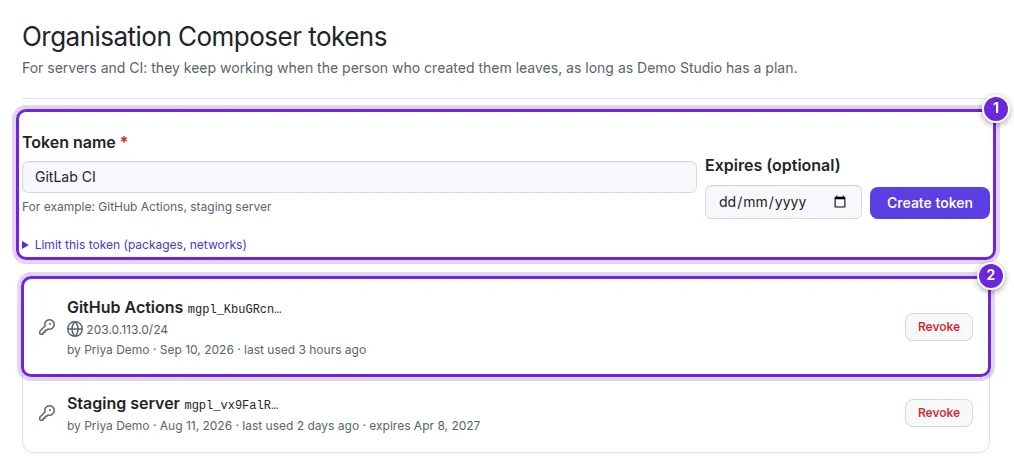
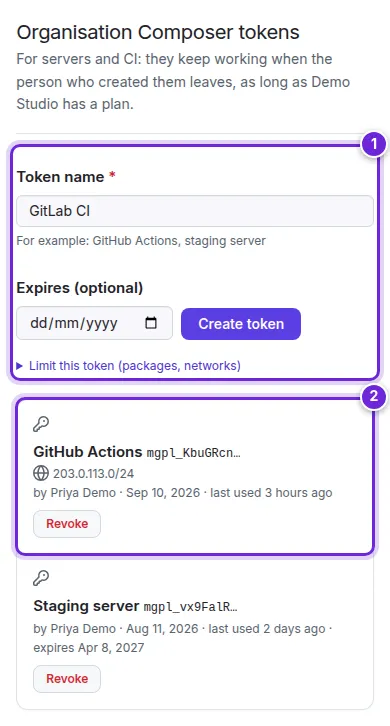
Organisation tokens are for servers and CI: they keep working when the person who created them leaves, as long as the organisation has a plan.
- Under Composer tokens, enter a Token name (for example GitHub Actions or staging server), optionally an expiry date and the package and network limits, and select Create token (1).
- Copy the token: it is shown once, with the command that stores it for Composer.
- The list (2) shows each token with its limits, who created it, when it was last used and when it expires. Revoke stops one at once.
See Composer in CI for using them in a pipeline. Projects and Webhooks work as for your own account (Projects, Webhooks).
Billing and plans
One subscription for the organisation, priced per seat.
- Current plan (1): the plan, the number of seats and the price per seat, the next invoice. Payment details and invoices in Stripe opens Stripe's portal; Cancel subscription ends it at the end of the period (members keep access until then; Resume subscription undoes it).
- Payment method (2): the card, added at checkout; receipts go to the billing e-mail.

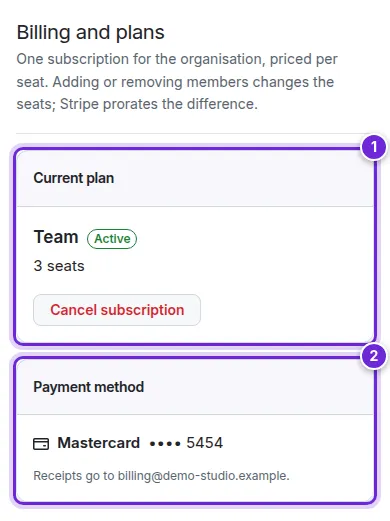
Without a plan, the page lists the Team plans (monthly or yearly, per seat) with Subscribe for n seats. Invoices at the bottom lists every invoice with its PDF.
Audit log
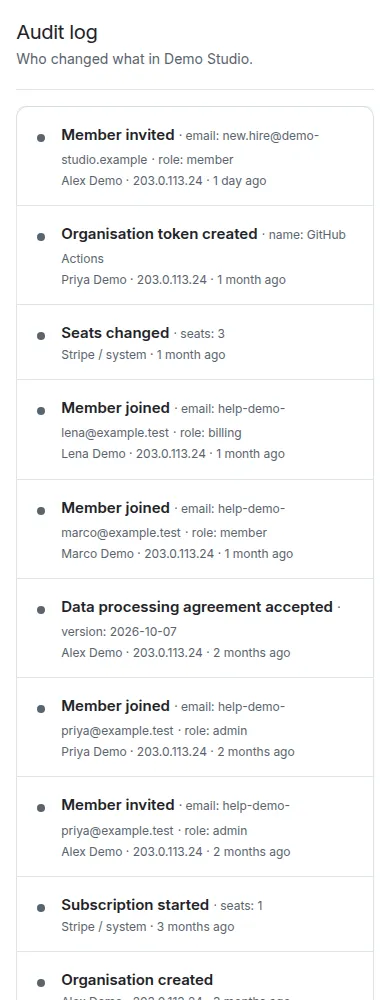
The Audit log records who changed what in the organisation: members invited, joined, removed and their roles, ownership transfers, seats, the subscription and payments, tokens created and revoked, and the data processing agreement. Each entry names the person (or Stripe / system), the address and the time.

Data processing agreement
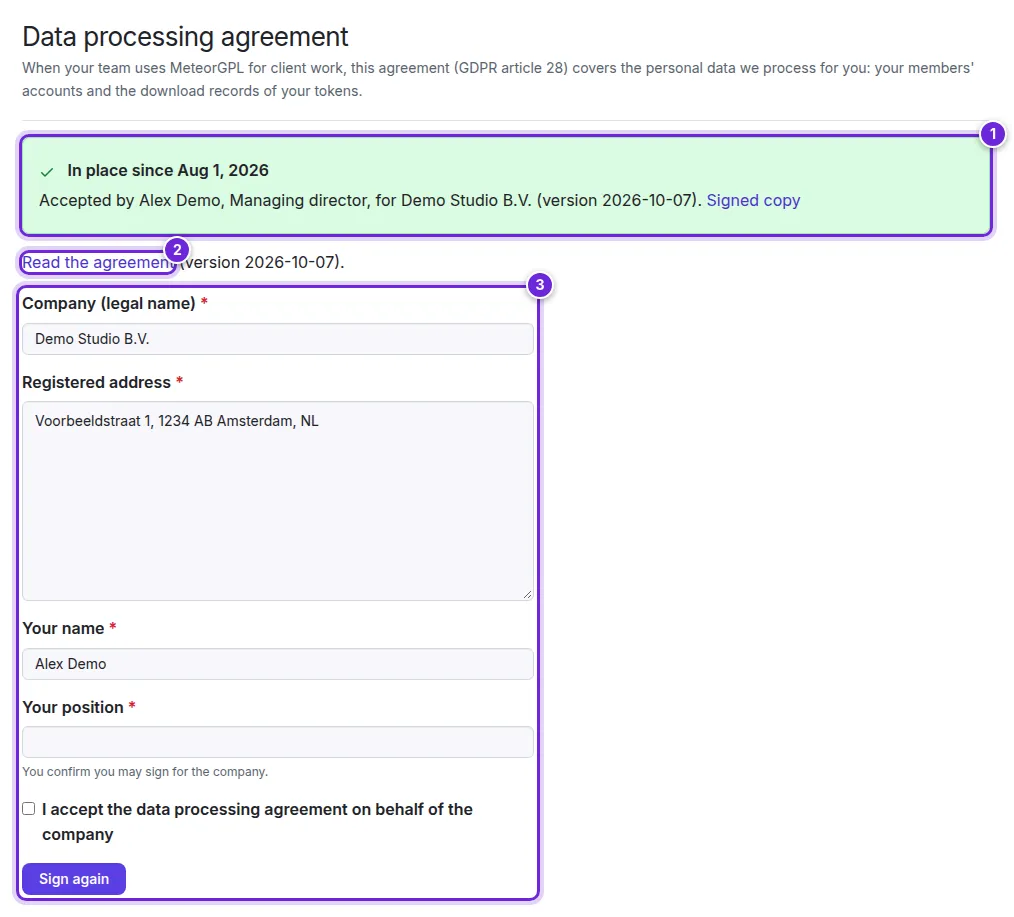
When your team uses MeteorGPL for client work, the data processing agreement (GDPR article 28) covers the personal data we process for you: your members' accounts and the download records of your tokens.
- Once accepted, the page says since when, by whom and in which version (1), with a Signed copy to download.
- Read the agreement (2) first.
- To accept, enter the company's legal name and registered address, your name and position, tick the box and select Accept the agreement (3) (or Sign again for a new version).

Did this not answer your question? Contact support.